
HeyPCB for KiCad · KiCad 10 plugin · In beta
Inky, inside KiCad.
A window beside KiCad’s PCB Editor. Ask Inky about the board you have open, or have it place, route and check it. Every change waits for your Apply.
Install the plugin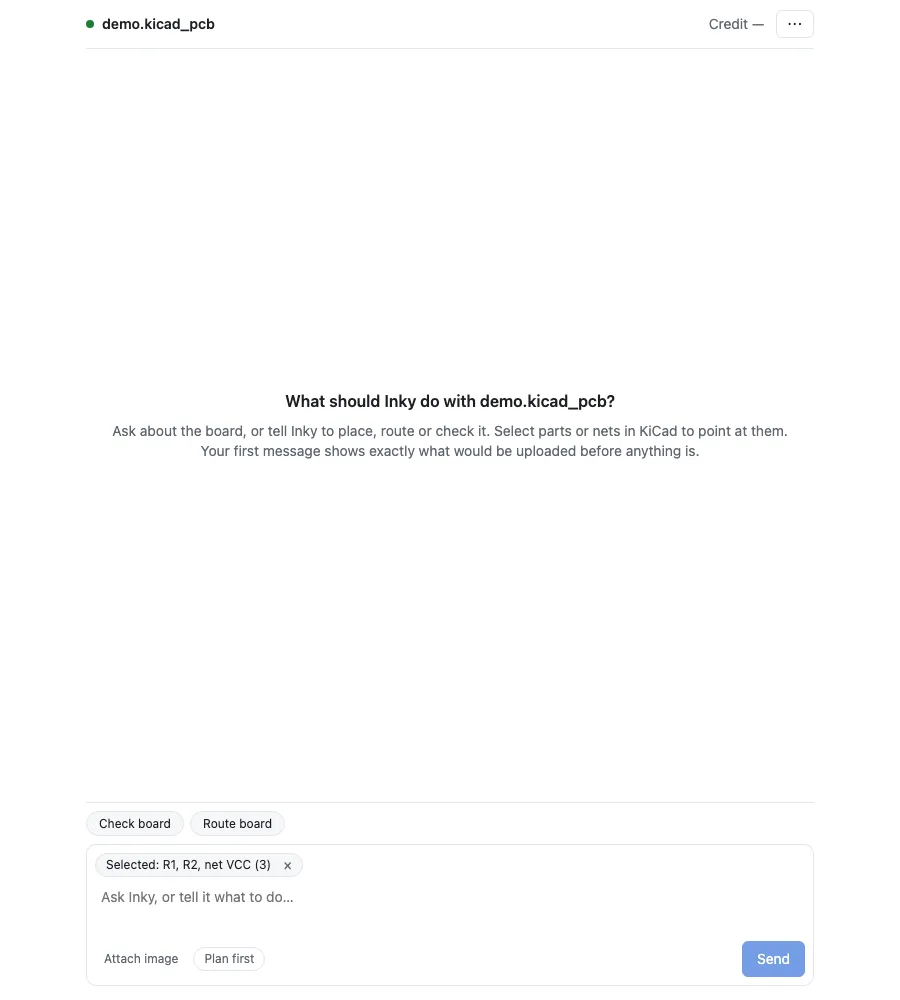
Install in three steps.
- 01
Turn on KiCad's API.
You need KiCad 10.0.6 or a newer 10.0 release. In KiCad, open Preferences → Plugins and tick Enable KiCad API. It is off by default.
- 02
Add the repository.
Open the Plugin and Content Manager, press Manage Repositories and add this address. Then install HeyPCB from it.
https://pcm.heypcb.ai/stable/repository.json - 03
Sign in.
Open a board in the PCB Editor and press the HeyPCB button in its toolbar. Sign in with your heypcb.ai account in the browser that opens.
Nothing lands without your press.
- A copy, not your file
- Inky works on a copy of your board in your heypcb.ai account. Your first message shows exactly which files would be uploaded before anything is.
- Every change is a card
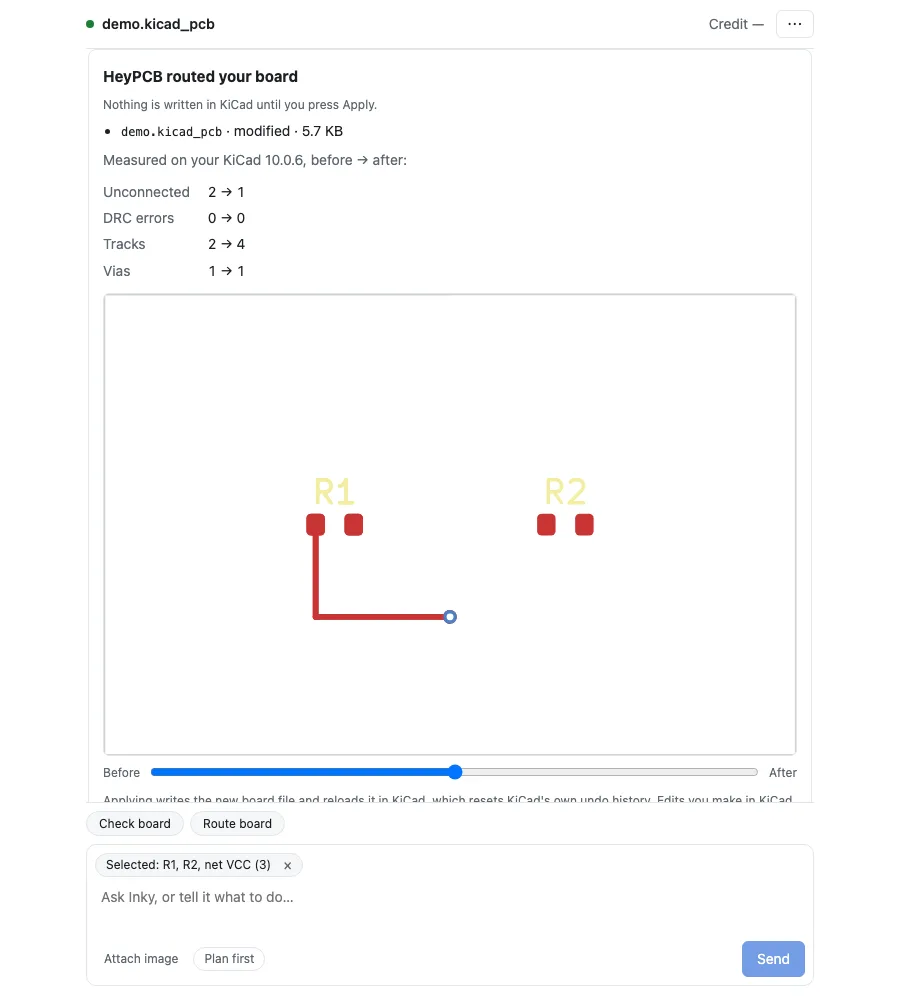
- A turn, a routing job or a change pulled from the web comes back as a card with the board before and after. Apply writes it into KiCad; Discard drops it. Nothing is written into KiCad without your press.
- Undo
- Undo HeyPCB change puts the board back for 7 days after you apply it.
- The free check
- Check board runs DRC and ERC on your own KiCad. It is free, and it runs on your computer.
One account.
The plugin uses your heypcb.ai account and its balance. Inky’s turns cost what they cost on heypcb.ai. Engine runs are priced per run; a routing job shows its estimate and waits for your Confirm before it starts.
- Route the board
- $0.10 plus $0.001 a pad, at most $1.00
- Place the parts
- $0.05
- Verify the board
- $0.05
- Fab-readiness check
- $0.05
- DRC or ERC on heypcb.ai
- $0.02 each
- Check board on your own KiCad
- Free
In beta.
The plugin signs in only for accounts on the beta list for now; any other account is told so when it signs in. It needs KiCad 10.0.6 or a newer 10.0 release. The plugin is MIT-licensed.
Create a heypcb.ai account