BlogHeyPCB Time Machine
GitHub Has Version History. Now Hardware Does Too.
Every schematic, PCB, and AI edit stays on one HeyPCB timeline, so you can see who changed the board, rewind, and restore any version.
GitHub shows who changed the code, what they changed, and when.
But when multiple people and AI agents are working on the same circuit board, how do you know which change caused something to go wrong?
So we built a Time Machine for hardware.
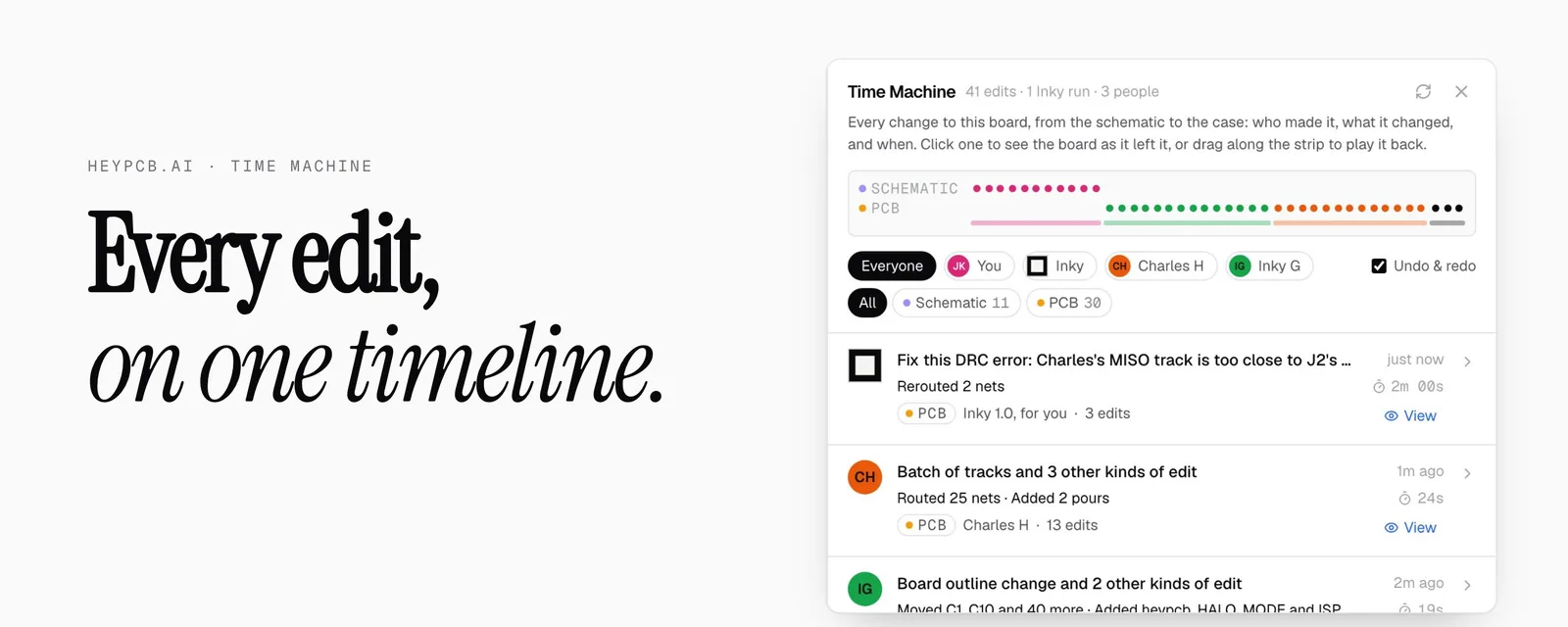
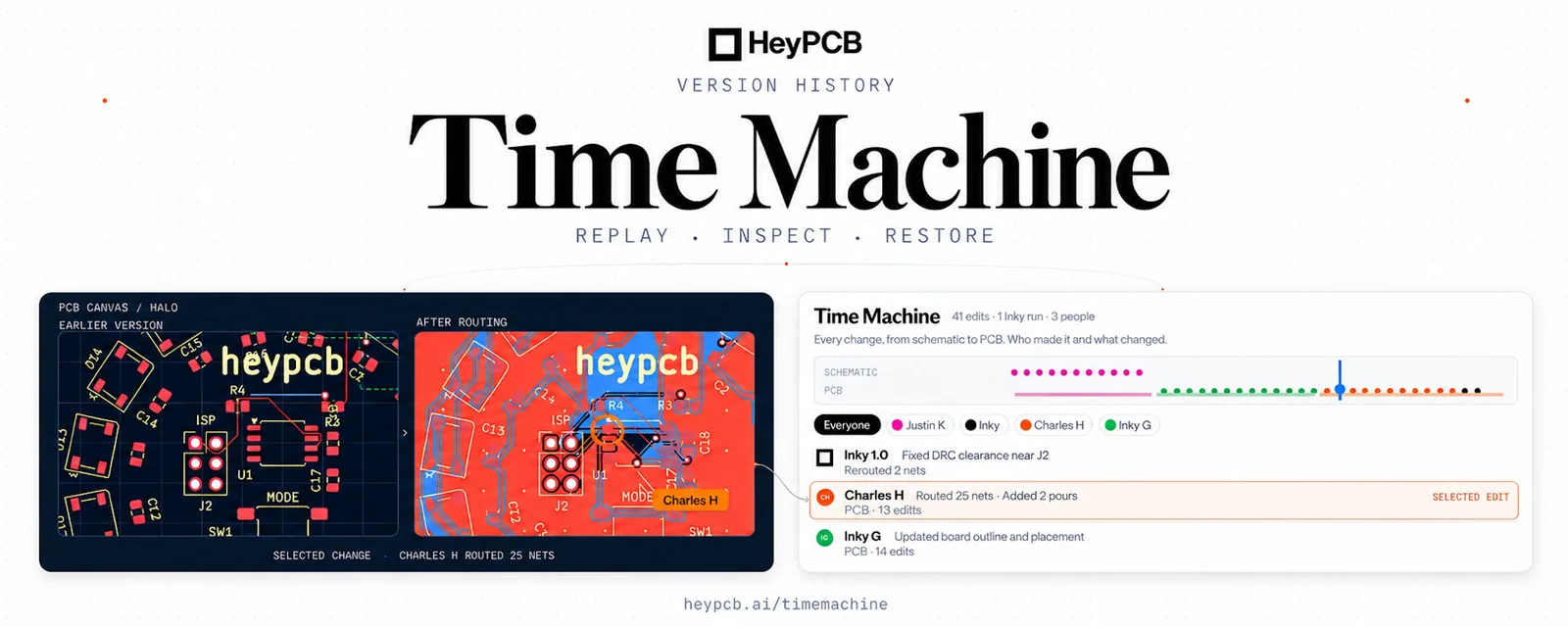
Every schematic change, PCB edit, and AI modification lives on one shared timeline.
See who changed what, rewind through previous edits, or restore any earlier version. All directly inside HeyPCB.
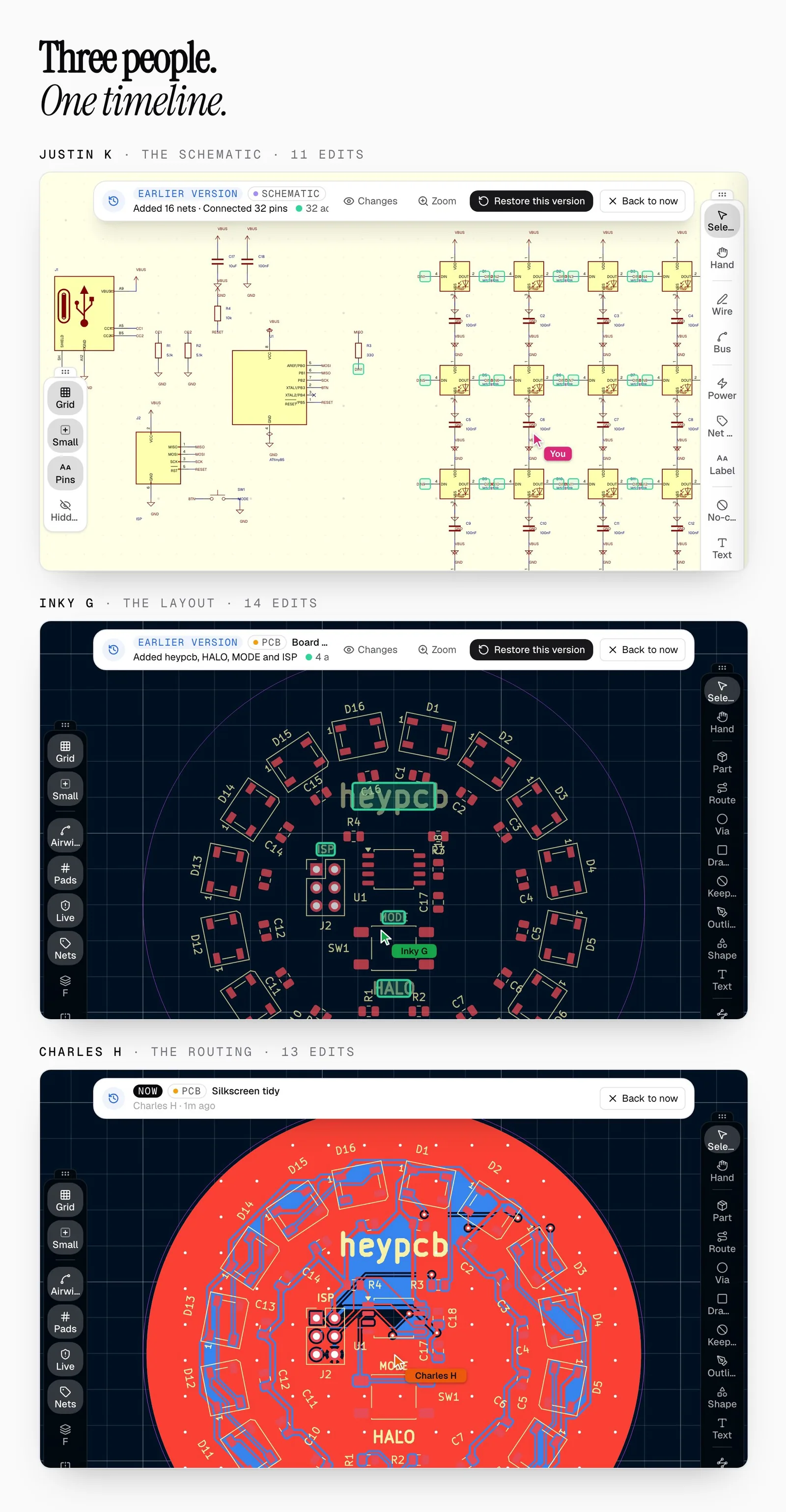
Three people. One PCB. We built a circular PCB with 16 RGB LEDs to demonstrate how it works.
I designed the schematic, Inky G placed the components, and Charles routed the board.
38 edits. Three people. One timeline.
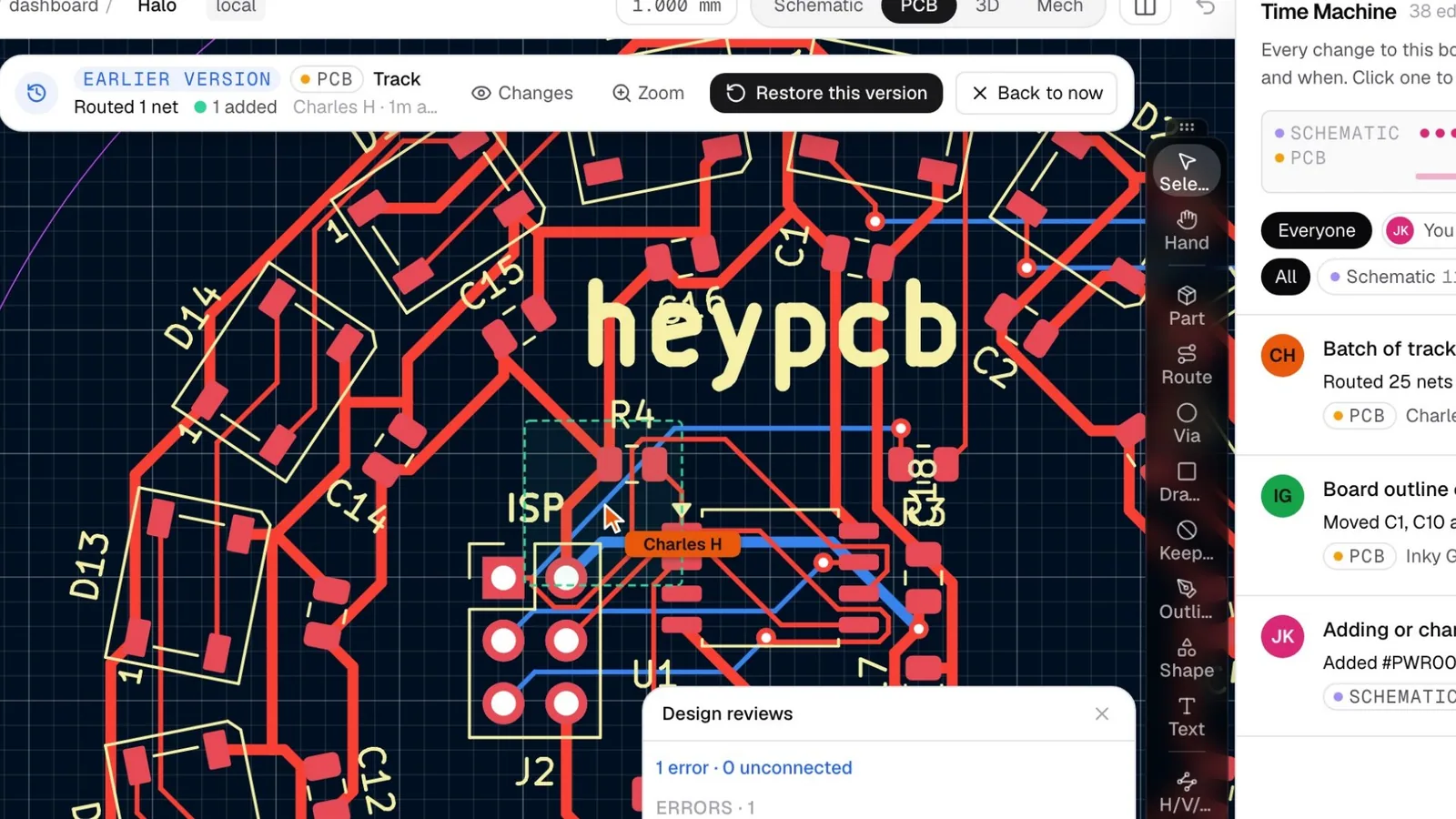
Everything was routed, but a design rule check found one error.
Instead of digging through old files, we opened Time Machine and dragged backward through the timeline.
We found the exact edit where Charles routed a trace too close to the programming header. We could even see his cursor where he made the change.
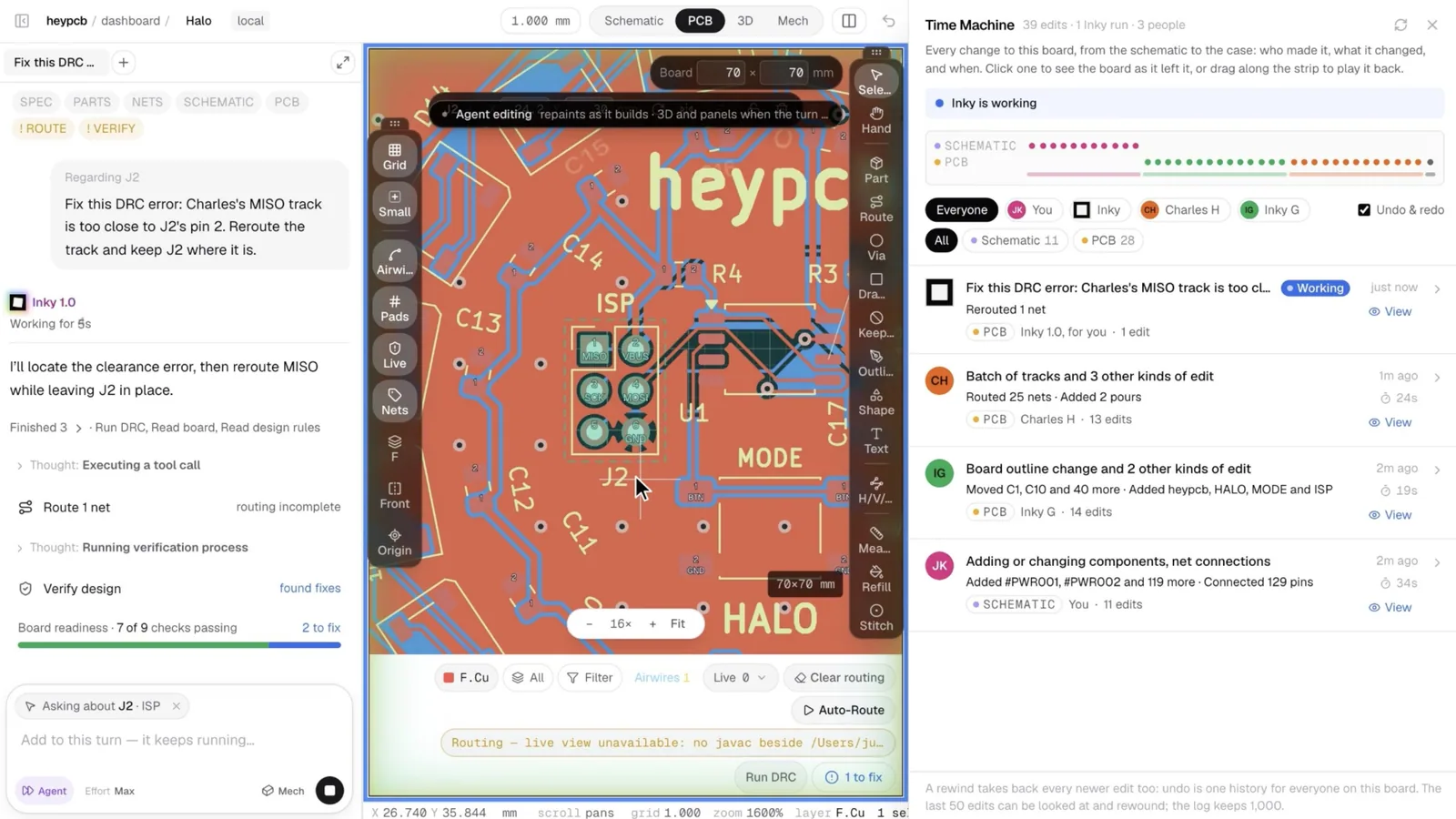
Then we asked Inky to fix it.
We selected the connector and asked Inky to reroute the trace without moving it. Inky fixed the clearance violation, and the board passed its design rule checks.
Zero DRC violations. Zero unrouted connections.
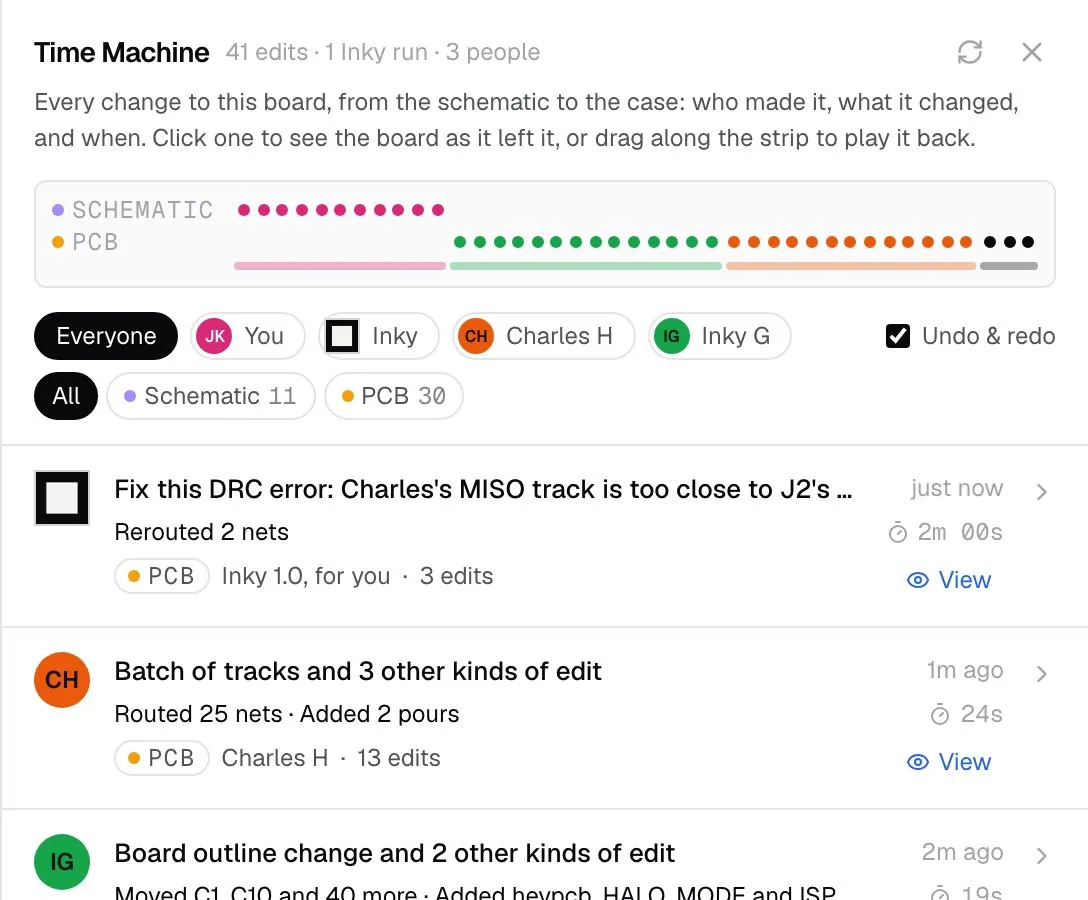
Then, Inky's edits were automatically recorded on the same timeline, along with the prompt that triggered them.
Now you can track every change, whether it's made by a teammate or an AI agent, all in one place.
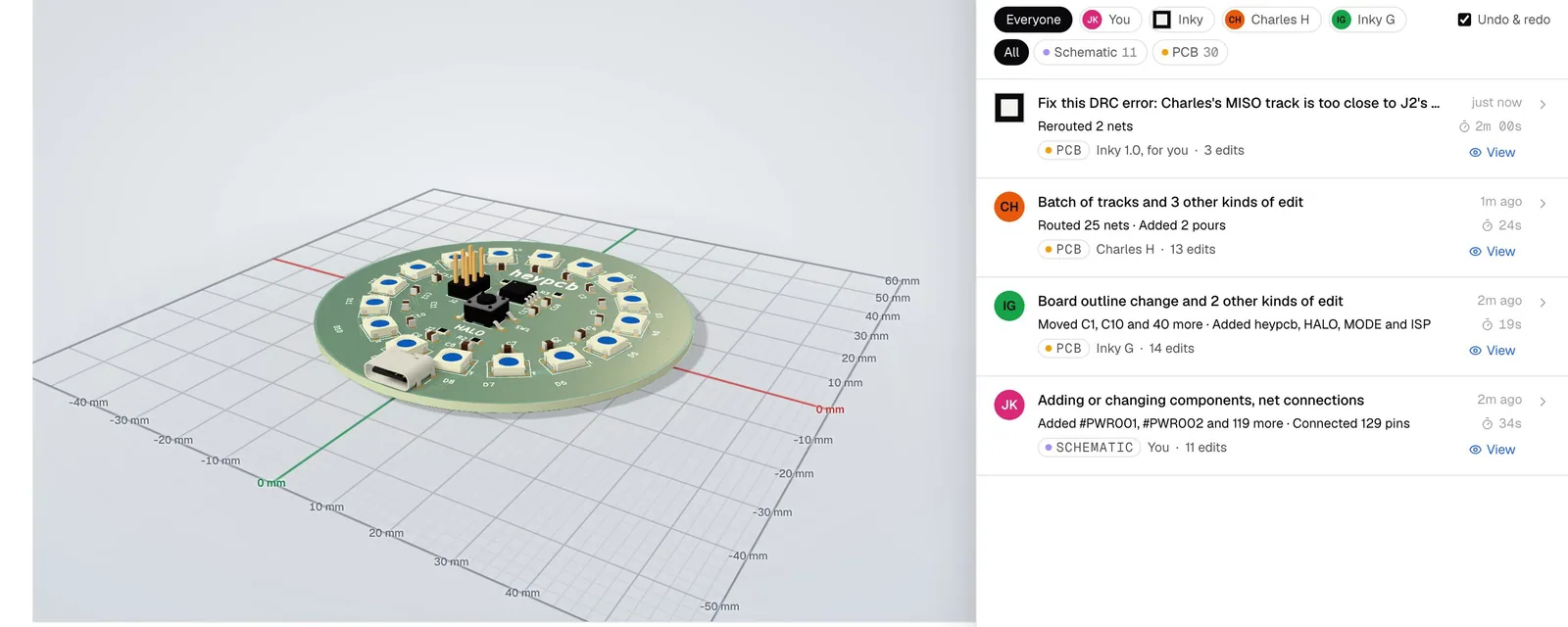
Every edit has a history.
Hardware is becoming more collaborative, with humans and AI agents building together. Time Machine makes sure no change gets lost.
Every edit. Every contributor. One timeline.
Time Machine: heypcb.ai/timemachine Circuit World: Explore 11,000+ open-source PCBs at heypcb.ai/world